> ## Documentation Index
> Fetch the complete documentation index at: https://docs.cord.nyc/llms.txt
> Use this file to discover all available pages before exploring further.
> ## Agent Instructions
> You are helping someone use Cord, the capital and resource allocation platform.
> Use title-case Cord in prose. Prefer workspace, project, ontology, lineage, scenario, and allocation.
> Say source-backed or sourced for answers with lineage. Do not say hallucination-free.
> Product URLs are https://app.cord.nyc, https://cord.nyc, and https://trust.cord.nyc. Support is support@cord.nyc.
> Give concrete product steps. Do not invent UI labels, CLI commands, or unreleased agent runtime details.
> Use Understanding Cord for concepts and Guides for task steps.
# Ontology overview
> Understand how Cord turns prepared data into connected business records.
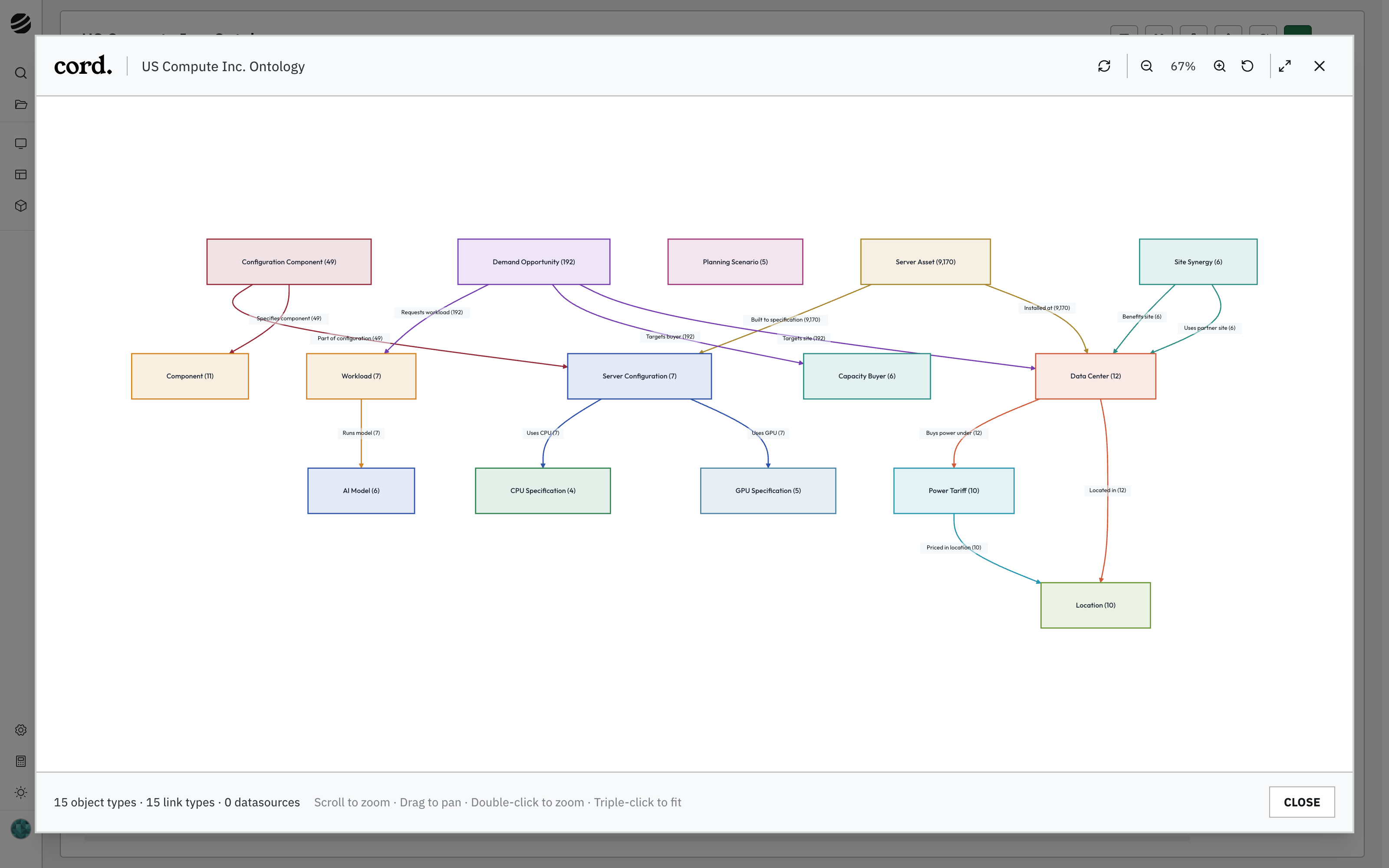
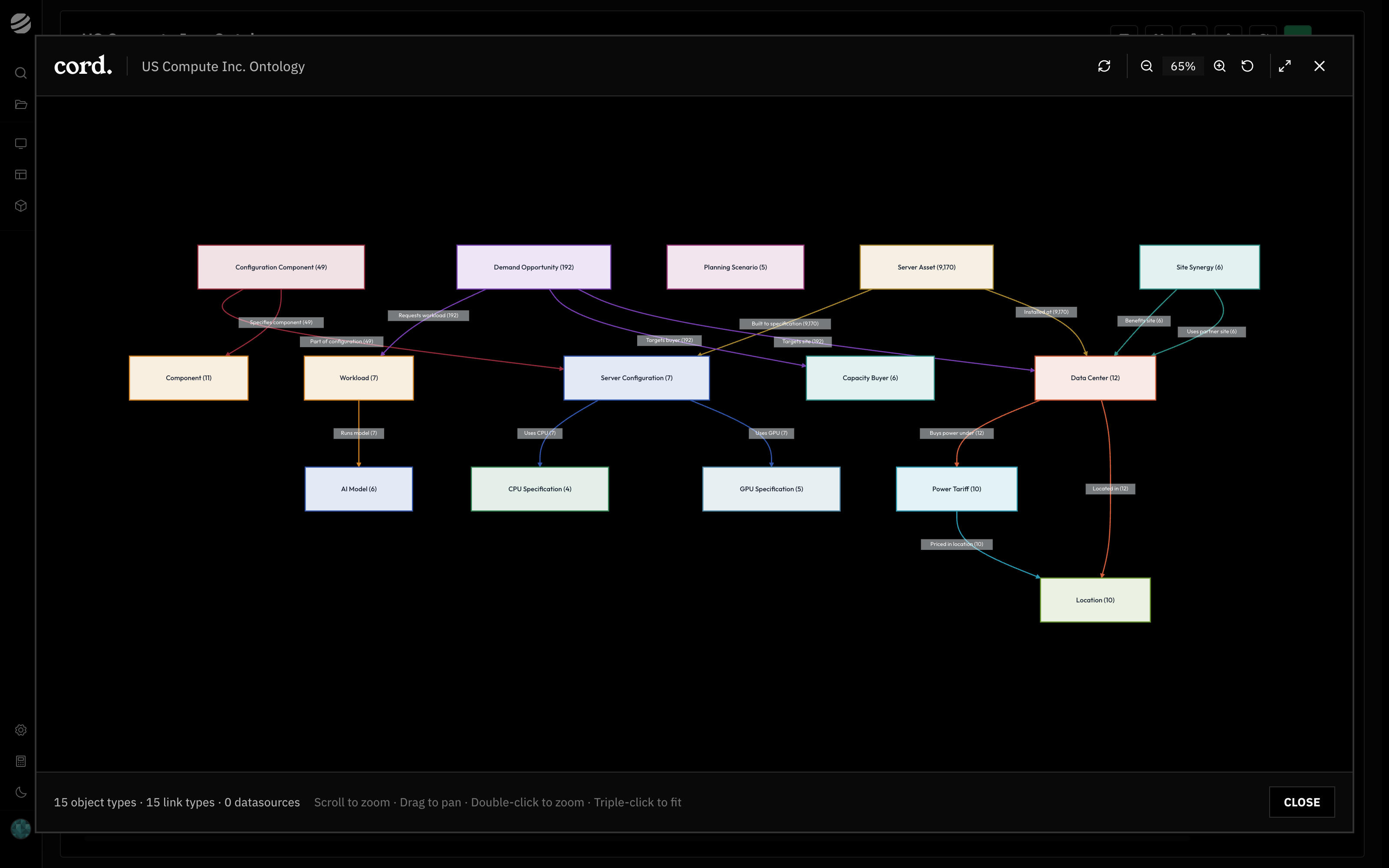
The ontology is Cord's model of your business. It organizes data into objects and relationships that functions and apps can use together, such as data centers, their installed servers, and demand from buyers.
| Term | Meaning | Example |
| ------------ | ----------------------------- | --------------------------------------- |
| Object type | A kind of business entity. | Data Center |
| Object | One record of that type. | Ashburn 01 |
| Property | A field on an object. | Name or power capacity |
| Relationship | A connection between objects. | A server is installed at a data center. |
Each object type has an identifier to match records across updates and a title property for the name you see when browsing.
 ## From pipeline to ontology
A pipeline artifact is a saved version of your prepared data. An ontology writer maps its columns to object properties and uses the identifier to create or update matching records.
Pipeline output → saved artifact → writer mapping → review changes → apply to ontology
A dry run previews the changes before you apply them. Creating an artifact leaves the ontology unchanged until a writer applies it. Functions and apps can then work with the populated records and their relationships.
## Choose a guide
* [Write pipeline data to your ontology](/write-pipeline-data-to-ontology)
* [Explore your ontology](/explore-ontology)
* [Create and manage object types](/manage-object-types)
For more examples and source tracing, see [Understanding Cord: Ontology](/understanding-cord/ontology).
## From pipeline to ontology
A pipeline artifact is a saved version of your prepared data. An ontology writer maps its columns to object properties and uses the identifier to create or update matching records.
Pipeline output → saved artifact → writer mapping → review changes → apply to ontology
A dry run previews the changes before you apply them. Creating an artifact leaves the ontology unchanged until a writer applies it. Functions and apps can then work with the populated records and their relationships.
## Choose a guide
* [Write pipeline data to your ontology](/write-pipeline-data-to-ontology)
* [Explore your ontology](/explore-ontology)
* [Create and manage object types](/manage-object-types)
For more examples and source tracing, see [Understanding Cord: Ontology](/understanding-cord/ontology).